A higher camera frame rate is not always better. While a high frame rate helps capture fast-moving objects and transient events, it also increases data throughput and processing requirements. The ideal frame rate depends on the speed of the target, exposure time, lighting conditions, resolution, and application requirements.
Understanding these factors helps you select a camera that delivers the right balance between imaging performance and system efficiency.
What Is Camera Frame Rate?
Frame rate refers to the number of images a camera captures and outputs per second, measured in frames per second (fps).
For example, a camera operating at 30 fps captures 30 images per second, while a 1,000 fps camera captures 1,000 images per second.
A higher frame rate provides better temporal resolution, allowing fast-moving objects or rapidly changing events to be recorded in greater detail. A lower frame rate is often sufficient for static scenes or applications where continuous high-speed acquisition is unnecessary.
In everyday video, 24–30 fps is generally sufficient for smooth playback. However, industrial inspection and scientific imaging often require hundreds or even thousands of fps to capture fast dynamic processes.
High Frame Rate vs. Low Frame Rate Cameras
Different applications require different frame rates. Neither high nor low frame rates are universally better.
High Frame Rate Cameras
High-speed cameras, typically operating at hundreds or thousands of fps, are designed to capture fast motion and transient events.
Typical applications include:
- Industrial Automation and Inspection: Capturing fast-moving products on production lines for defect detection, positioning, and quality inspection.
- Scientific Research: Recording rapid physical phenomena such as droplet impact, material fracture, and spark discharge.
- Particle Tracking and Motion Analysis: Capturing fast-moving particles or objects for trajectory and velocity analysis.
Low Frame Rate Cameras
Low-frame-rate cameras are suitable for applications where the scene changes slowly or where long exposure times are required.
Typical applications include:
- Security Surveillance: Monitoring warehouses, construction sites, and other environments where high-speed motion capture is unnecessary.
- Low-Light Imaging: Applications such as astronomical observation, where longer exposure times help collect sufficient light.
- Long-Term Monitoring: Recording slowly changing processes while reducing data storage and processing requirements.
Does a Higher Frame Rate Always Mean Better Image Quality?
Not necessarily. Frame rate determines how frequently images are captured, but it does not directly determine image sharpness or signal quality. Several factors need to be considered together.
1. Frame Rate and Exposure Time
Frame rate and exposure time are closely related. A higher frame rate means a shorter time interval between consecutive frames, leaving less time for exposure and image readout.
Shorter exposure times can help freeze fast motion and reduce motion blur, but they also allow less light to reach the sensor. Under insufficient illumination, this may result in darker images or increased noise.
2. Frame Rate and Lighting Conditions
High-speed imaging often requires sufficient illumination because short exposure times reduce the amount of light collected in each frame. Additional lighting or a lens with a larger aperture may be needed to maintain image brightness and signal quality.
3. Frame Rate and Data Processing
Higher frame rates generate more image data per second, increasing the requirements for data interfaces, computer processing, and storage capacity. The camera interface and acquisition system must have sufficient bandwidth to handle the data without frame loss.
Therefore, selecting the highest available frame rate is not always the most efficient solution. In addition to frame rate, consider resolution, pixel size, minimum exposure time, shutter type, and data interface.
AttosTek High-Speed Camera Recommendations
For applications requiring high-speed image acquisition, AttosTek offers high-speed cameras covering different resolution and frame rate requirements.
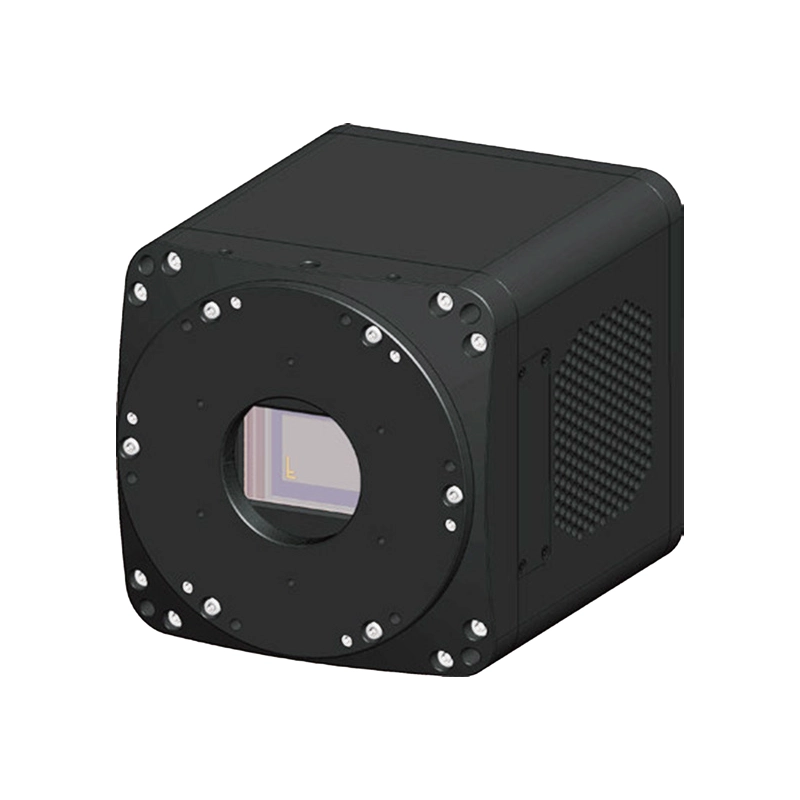 300–1000nm · 1564 fps @ 2048×1216 · ROI to 5394 fps · -20℃ TEC cooling | 300–1000 nm· 397 fps @ 4608×2176 · ROI to 1401 fps · -20℃ TEC cooling |
Explore AttosTek high-speed cameras to find a suitable imaging solution for your application.
If you are unsure which frame rate or camera configuration is right for your project, contact AttosTek for technical assistance.


